Documentation
Tools, workflows, configuration, and outputs in the APS software release.
APS is an open-source toolchain for generating custom RISC-V instruction hardware and the software that uses it. Its components cover instruction discovery, instruction description, hardware synthesis, application compilation, and processor integration. This documentation explains each tool’s role, the data passed between tools, and the configuration needed to produce and run a matching hardware/software package.
Why a connected toolchain?
A useful accelerator requires more than a fast datapath: its instruction must recur in application code, its memory accesses must fit the processor interface, and the compiler must recognize where to use it. Optimizing those pieces independently can leave reuse opportunities hidden, make data movement the bottleneck, or produce hardware that application software cannot exploit. APS connects these decisions through shared instruction semantics and matching hardware/software contracts.
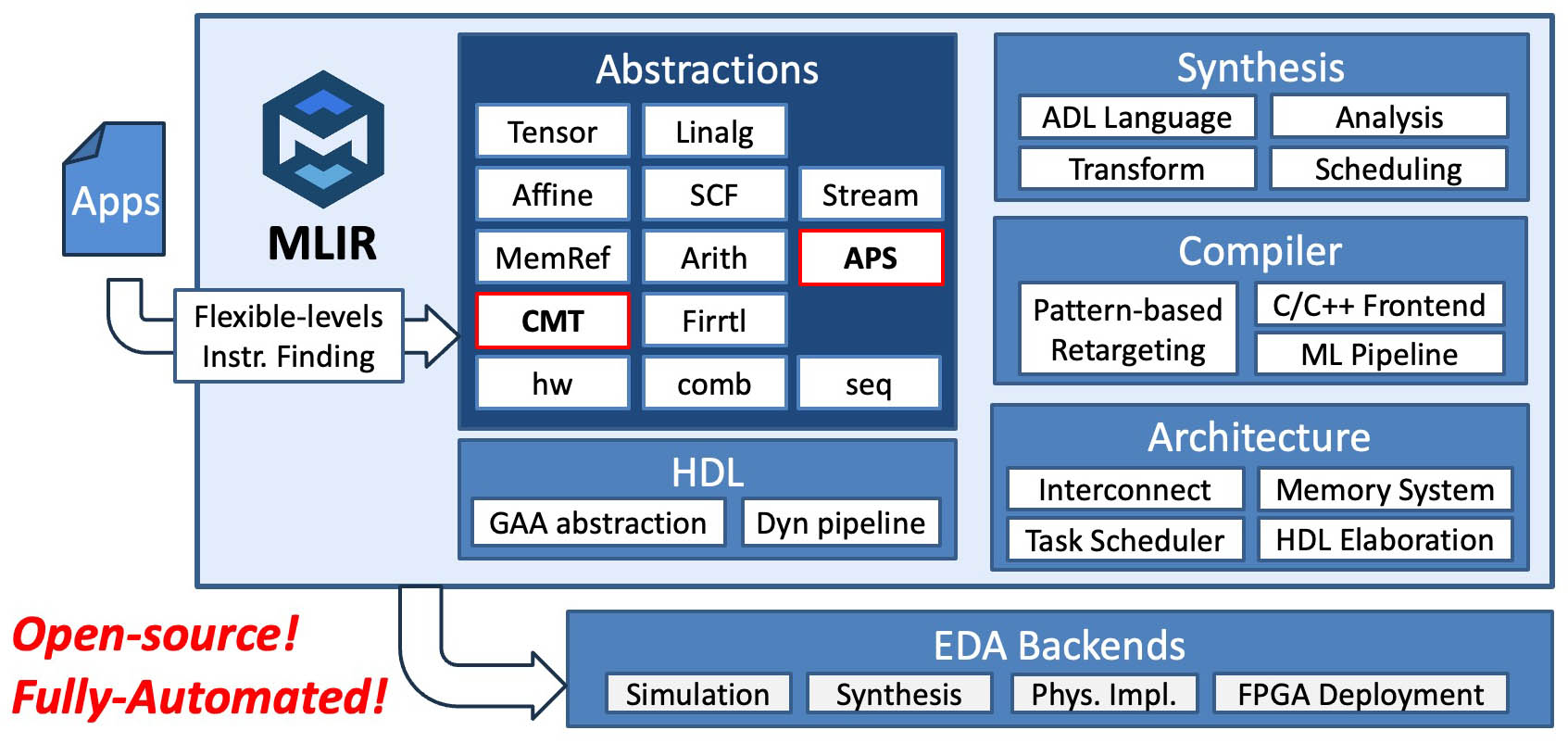
Tool map
| Component | Purpose | Input | Main result |
|---|---|---|---|
ScaleISA and aps-scaleisa-opt |
Discover instructions and choose implementations within a hardware budget | Application MLIR and a target model | Selected program, hardware, software, and reports |
CADL frontend, aps-frontend |
Describe an instruction’s behavior and encoding | CADL source | Functional MLIR; encoding and C exports are also available |
aps-e2e |
Synthesize an instruction into accelerator hardware | Functional MLIR, resources, optional interface configuration | SystemVerilog or an intermediate representation |
Megg, through pixi run compile |
Find application computations that match a supplied instruction | CADL description and C application | RISC-V program using the custom instruction |
| ScaleISA software compiler | Compile instruction sites already chosen by ScaleISA | Selected software and matching hardware contract | RV32 object or linked executable |
| Chipyard/Rocket integration | Connect the generated accelerator to a processor | RTL, generated configuration, and matching program | Full processor simulation |
| Spike + Verilator co-simulation | Check software execution with accelerator RTL | Linked executable and matching RTL | Functional results and accelerator statistics |
Choose an entry point
Start from applications when you want to explore which computations deserve custom instructions. ScaleISA discovers reusable candidates at multiple abstraction levels and considers hardware implementations during selection. Its APS driver carries the selection into synthesis and software generation.
Start from an instruction description when you already know the operation to accelerate. Write its semantics in CADL, use hardware synthesis to produce RTL, and use Megg to compile matching application computations against that instruction.
Both paths meet at processor integration, where instruction encodings, arguments, memory behavior, and program linkage must agree.
Environment and conventions
Begin with Installation. Run commands from the APS repository root through Pixi, and keep generated files under build/. APS executables are under build/tools/; the repository’s CIRCT tools are under circt/build/bin/. The examples in these guides illustrate tool interfaces and expected artifacts; they do not require completing a tutorial in sequence.
The APS source repository contains the software and example inputs. Tutorials are a separate resource for guided exercises.